
Hi, I'm Bruce. Before I say a single word about WP Engine, let me tell you why I take web hosting so seriously, almost embarrassingly so.
Back in 2020, I ran a company website on the cheapest shared hosting I could find. I told myself I was being frugal. Then a major search algorithm update rolled through, my rankings collapsed almost overnight, and a business I'd poured everything into came apart. By the time the dust settled, I'd lost well over a million. Not a typo. Over a million.
A lot of that pain traced back to decisions I made to save a few dollars a month, on an outdated, overcrowded server that buckled the moment things got serious. So when I evaluate a host like WP Engine, I'm not doing it as a hobbyist comparing spec sheets. I'm doing it as someone who has felt, in his bank account, exactly what bad infrastructure costs.
This is my honest WP Engine review. I'll walk you through what it actually is, what the 2026 plans cost in real dollars, where it genuinely shines, and the downsides nobody on an affiliate page wants to admit. By the end, you'll know whether you're the kind of person who should pay for it, or whether you should save your money for now.
The 30-second version: WP Engine is premium managed WordPress hosting. It's fast, stable, and removes almost all the technical headaches, but it starts around $30/month and isn't cheap. If your website makes money (or losing it would cost you sleep and income), it's worth a hard look. If it's a hobby blog or an unproven idea, you almost certainly don't need it yet.
What Is WP Engine, and How Is It Different From Regular Web Hosting?
Let me explain this the way I wish someone had explained it to me in 2019, with an everyday analogy instead of jargon.
Cheap shared hosting is like renting a cheap apartment in a building with a lot of roommates. The rent is low, but you're responsible for everything. The plumbing breaks, you fix it. The lights need changing, that's on you. And if the neighbor next door throws a loud party (read: their website gets a traffic spike or gets hacked), your space suffers too, because you're all sharing the same walls and the same resources.
WP Engine is like a serviced apartment with a full concierge. Cleaning, security, maintenance, all handled. You're paying a premium, but what you're really buying is peace of mind and your own time back. You just live there and get your work done.
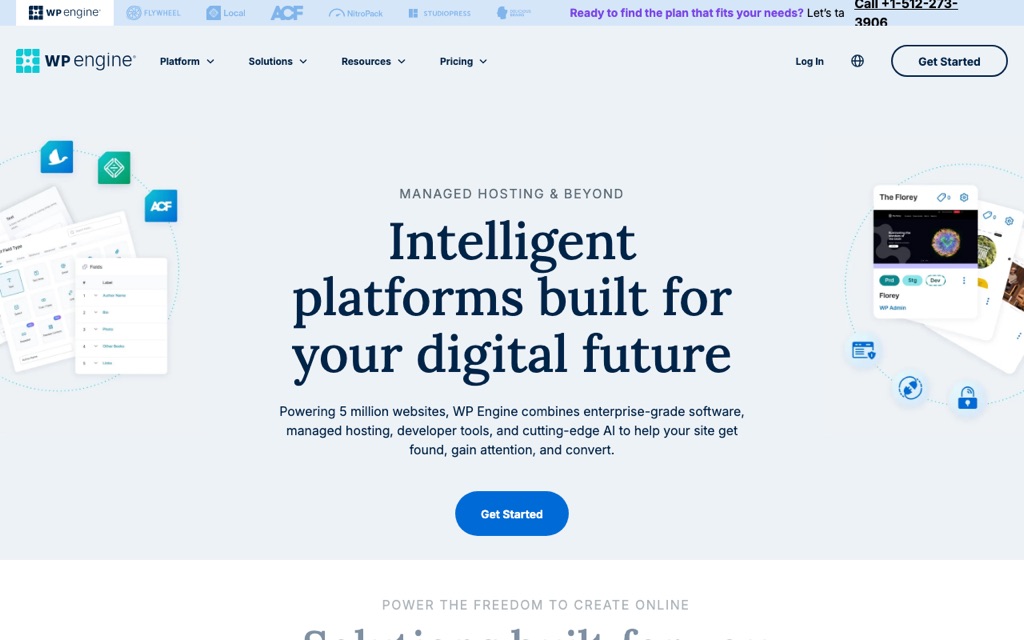
In technical terms, WP Engine is managed WordPress hosting, and it does one thing only: run WordPress, exceptionally well. Unlike generalist shared hosts that try to serve every kind of website, WP Engine is purpose-built and optimized for WordPress alone. Here's what "managed" actually includes:
- Automatic updates for the WordPress core and PHP, so you're not patching things manually at midnight.
- EverCache server-level caching, their proprietary tech that they claim delivers around a 40% speed boost.
- Daily automatic backups with a generous 40-day retention window.
- Built-in security and a managed firewall, baked in rather than bolted on with plugins.
- A separate staging environment, so you can test changes safely before they ever touch your live site.
That last point matters more than beginners realize. The number of people who break their live website by testing a plugin on it is staggering, I've been one of them. A one-click staging copy is the difference between "oops" and "disaster."
Who Is WP Engine Actually For? (Beginners, Read This First)
This is the section I'd want my younger, broke self to read before pulling out a credit card. WP Engine is excellent, but it is absolutely not for everyone. Let me be blunt about both sides.
WP Engine is a great fit if you're...
- Running a commercial or business website, where the site directly drives revenue and downtime literally costs money.
- Dealing with high or spiky traffic, and you need rock-solid stability when a post takes off or a campaign hits.
- Short on time and patient with money instead, you'd rather pay a premium than spend your weekends learning server administration.
- A web designer or agency juggling multiple client sites, where the staging tools and reliability save you real billable hours.
WP Engine is the wrong choice if you're...
- A beginner on a tight budget, just getting started and watching every dollar.
- Running a personal hobby blog with no revenue and no real consequences if it hiccups.
- Testing an unproven idea that may not exist in six months.
- In a "no harm if it breaks" situation, where an outage is mildly annoying rather than financially painful.
Here's my one honest gut-check: if your website going down would cost you actual money or genuinely keep you up at night, WP Engine is worth it. If it would merely be "a bummer," save your cash and wait until you've outgrown something cheaper.
WP Engine Plans and Pricing (Latest 2026 Tiers)
Let's talk real numbers, because this is where a lot of people get sticker shock. All prices below are in USD and assume annual billing, which is how you get the best rate. Monthly billing costs more.
| Plan | Approx. Monthly Cost (USD, billed annually) | Sites | Monthly Visits | Storage |
|---|---|---|---|---|
| Startup | ~$30/mo | 1 | 25,000 | 10 GB |
| Professional | ~$55/mo | 3 | 75,000 | 15 GB |
| Growth | ~$109/mo | 10 | 100,000 | 20 GB |
| Scale | ~$276/mo | 30 | 400,000 | 50 GB |
| Enterprise / Custom | ~$400+ (custom quote) | Custom | Custom | Custom |
For most individuals and small businesses, the Startup plan at around $30/month is the entry point. That's roughly the cost of a couple of streaming subscriptions, except this one is keeping your livelihood online.
Now, the part the marketing pages tend to whisper rather than shout, the overage fees. WP Engine prices by traffic, and if you blow past your tier's limits, you pay extra:
- Traffic overage: roughly $2 for every additional 1,000 visits beyond your plan's allotment.
- Extra site: about $20/month per additional site if you exceed your plan's count.
- Extra storage: around $1/month per additional GB.
None of this is predatory, it's clearly documented, but you need to budget for it honestly. If you're a borderline case who occasionally spikes over a tier, do the math on whether the next plan up is actually cheaper than the overage fees. Sometimes it is.
The safety net I actually like: WP Engine offers a 60-day money-back guarantee on annual plans (domains and add-ons excluded). Sixty days is a long runway, longer than most hosts give you. It means you can migrate your real site over, stress-test it under real traffic, and bail with a full refund if it doesn't deliver. That dramatically lowers the risk of trying it.
Performance, Security, Backups, CDN, and Support: The Things I Actually Test For
Specs on a sales page are easy to write. What I care about, after my 2020 wipeout, is whether a host holds up when it counts. Here's how WP Engine stacks up on the things that genuinely matter.
Performance
This is WP Engine's headline strength. Their EverCache caching technology delivers genuinely noticeable speed improvements, pages load fast even under load. More importantly, they advertise 99.99% uptime, which is effectively "almost never down." And if they do miss that mark, you're entitled to service credits as compensation. A host that puts its money where its uptime claim is gives me more confidence than one that just says "trust us."
CDN and Security
Every plan includes a Cloudflare-powered global CDN, which means your content is served from servers physically close to your visitors worldwide, a real win if your audience is international. You also get free SSL certificates across the board, plus a managed firewall and threat detection layer. Security isn't an upsell here; it's part of the package.
Automatic Backups
This is the feature that, frankly, would have saved me a world of pain years ago. WP Engine runs daily automatic backups, keeps them for 40 days, and lets you restore with one click. You can also trigger a manual backup anytime, say, right before you make a risky change. When something goes wrong, "restore to yesterday" is a beautiful sentence.
Customer Support
Support is handled by actual WordPress experts, not a generic helpdesk reading from a script. Response times are quick, and when you have a WordPress-specific problem, talking to people who live and breathe the platform is a noticeable upgrade. The interface and support are English-only, which is a non-issue for an international, English-speaking audience but worth flagging if your team operates in another language.
WP Engine Pros and Cons: The Honest Summary
I promised you honesty, so here's the balanced ledger. No host is perfect, and a review that only lists upsides is an ad, not a review.
The Pros
- Genuinely fast and powerful, EverCache plus a Cloudflare CDN make for a quick, resilient site.
- ~99.99% uptime, with service credits if they miss it.
- Daily backups, 40-day retention, one-click restore, a real safety net, not a token one.
- WordPress-expert support with fast response times.
- One-click staging environment, test fearlessly, then push live.
- 60-day money-back guarantee on annual plans, plenty of time to truly evaluate it.
The Cons
- It's expensive. Starting at ~$30/month, it costs several times what budget shared hosting does.
- English-only interface and support, fine for English speakers, a barrier for some teams.
- Plugin restrictions. This one surprises people, see the box below.
- Overage fees on traffic, extra sites, and storage that can add up if you're not watching.
- A learning curve, the dashboard differs from typical cPanel hosts, so there's some relearning.
- Overkill for budget-conscious beginners, you'd be paying for power you don't yet need.
About those plugin restrictions, this trips people up: WP Engine intentionally blocks certain plugins, including caching plugins (like W3 Total Cache), backup plugins (like UpdraftPlus), and some security plugins (like Wordfence). It's not them being difficult, it's because they handle all of those functions at the server level themselves, and running redundant plugins would actually slow your site down or conflict with their systems. If you're attached to a specific plugin in one of those categories, check the disallowed list before you migrate.
WP Engine vs. Regular Shared Hosting: When Should You Upgrade?
This is the real decision for most people: not "is WP Engine good?" (it is), but "is it time for me to move up?" Here's the side-by-side I use when advising people.
| Factor | Shared Hosting | WP Engine |
|---|---|---|
| Price | Cheap (a few dollars a month) | Premium ($30+/month) |
| Technical burden | Mostly on you | Almost entirely managed for you |
| Performance & stability | Average; bottlenecks under traffic | Strong; built for traffic peaks |
| Best stage for it | Just starting, low traffic, tight budget | Profitable, high traffic, zero tolerance for downtime |
So how do you know it's time? Watch for these signals, when several of them are true at once, you've likely outgrown cheap hosting:
- Your traffic is clearly growing, and your current host is visibly slowing down or struggling.
- Your site makes money now, through ads, affiliate income, product sales, or client work.
- You're losing too much time to troubleshooting, every hour fighting your server is an hour stolen from the work that actually grows your business.
- You've already been burned, hacked, broken, or knocked offline at the worst possible moment.
My honest advice, and it's the opposite of what most affiliate pages will tell you: don't start with WP Engine. Build your traffic and revenue first on cheap, simple hosting. Then, when your current host genuinely can't keep up, upgrade. That sequence, cheap first, premium when you've earned the need, is the smart, cost-effective path. It's exactly the discipline I lacked in 2020.
If you're still at the very beginning and don't even have a site yet, start there, not here. I've written a complete walkthrough on how to build a WordPress website from scratch, get that foundation right first, then come back to this decision once you've got traffic and revenue to protect.
Conclusion: My WP Engine Verdict, and Who I'd Recommend It To
Here's how I'd sum it up. WP Engine is a fast, stable, low-hassle "car", a premium one. But like any premium car, the real question isn't whether it's good. It's whether you actually need this much vehicle for the road you're on.
I'd recommend WP Engine to you if: you run a commercial or revenue-generating website, you value your time over a few saved dollars, and downtime would genuinely cost you. For you, the speed, reliability, and managed convenience pay for themselves, and that 60-day guarantee means you can test it on your real site with almost no risk.
I'd tell you to wait if: you're a budget-conscious beginner or running a hobby blog. There's no shame in it, you're just early. Use something cheaper, grow your audience, and upgrade when the need is real.
The mistake I made in 2020 wasn't choosing a "bad" host, it was choosing the wrong tool for the stage I was at, and paying for it in the worst way imaginable. Wherever you are on your journey, match the tool to the moment. If you've genuinely reached the point where premium managed hosting will protect something valuable, WP Engine is one of the safest bets you can make.